Line
GPT Chatbot Integration for Line App | Installation Guide
Connecting Your AI Chatbot with Line
To integrate with Line, follow these steps:
Steps
-
Sign Up on Line Console
-
Go to Line Developers and sign up if you have not done already.
-
-
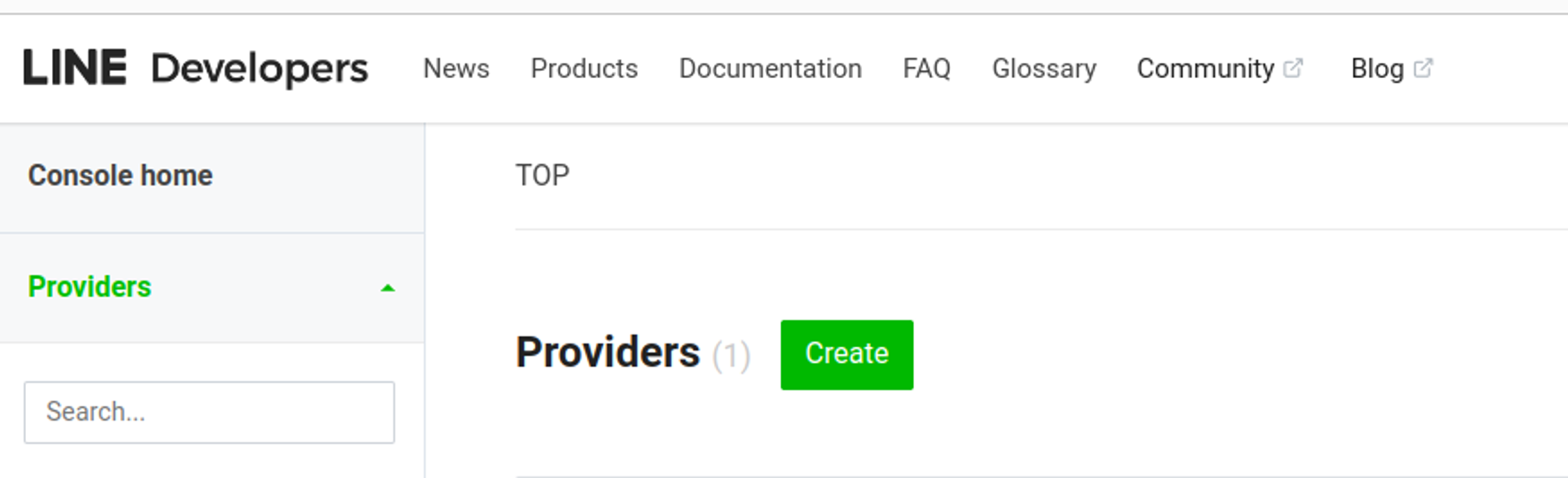
Create a Provider
- Create a provider
-
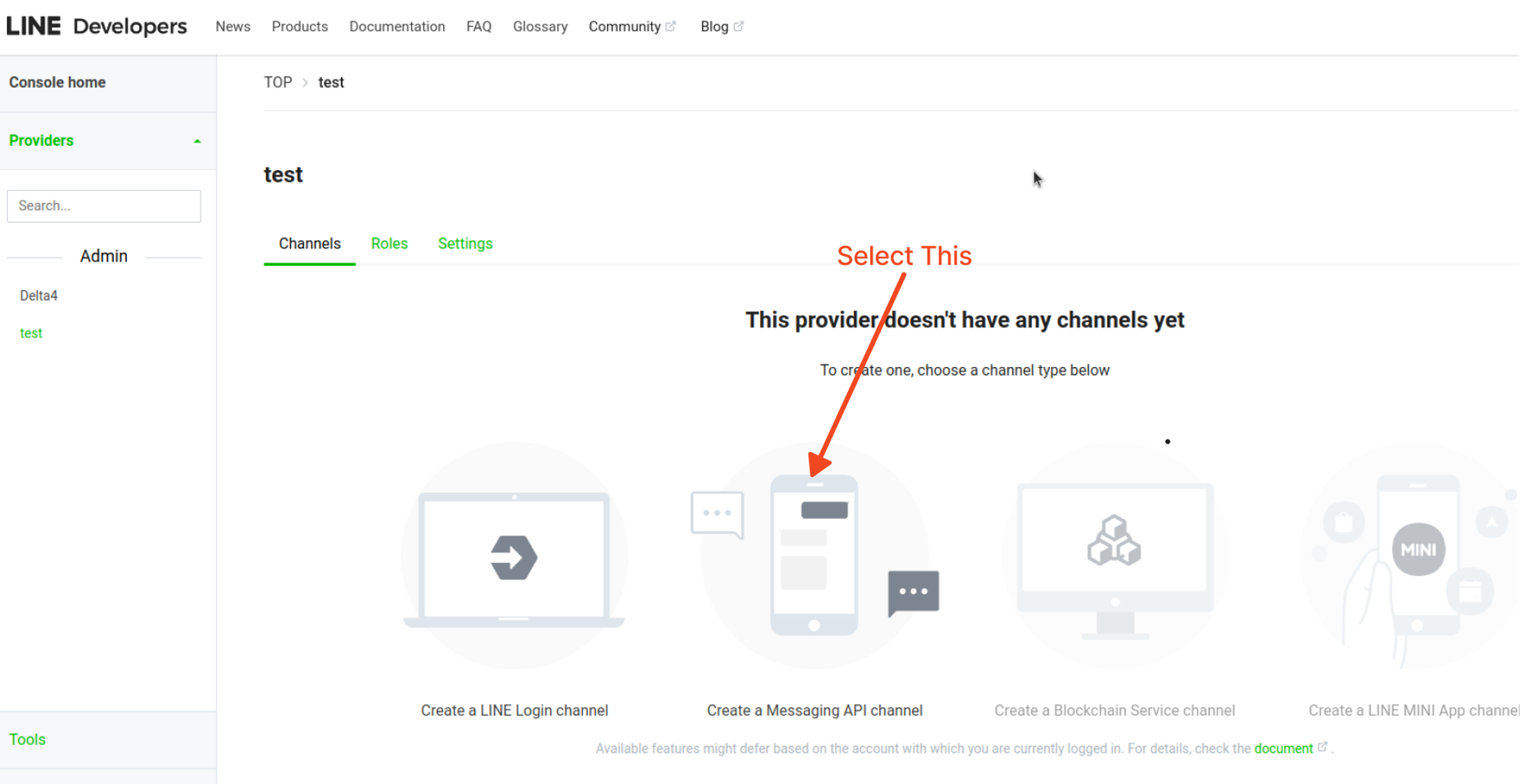
Create a Message API Channel
- Create a Message API Channel
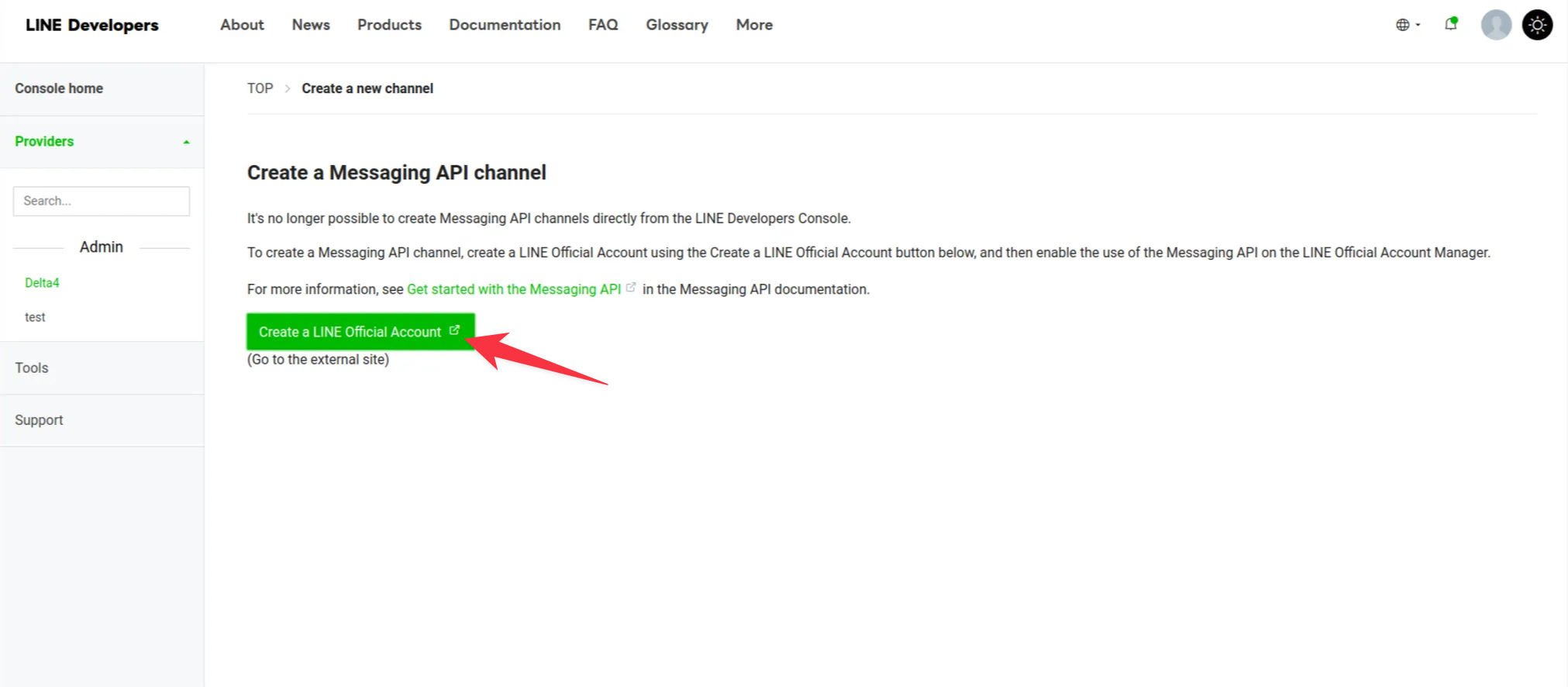
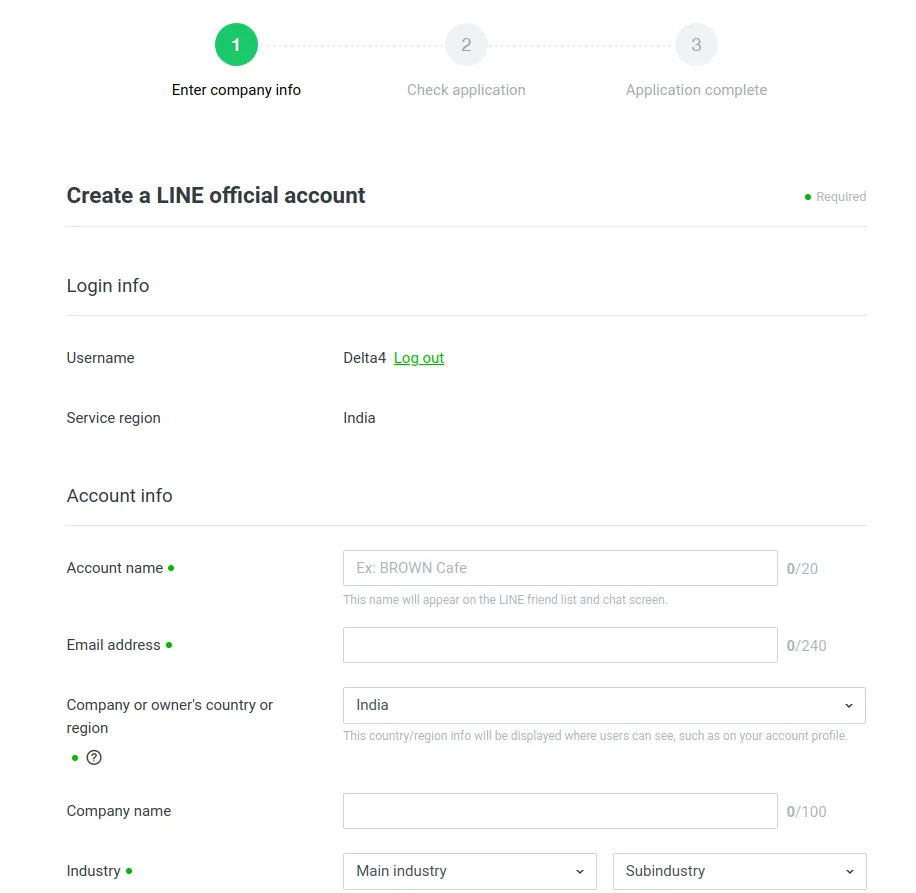
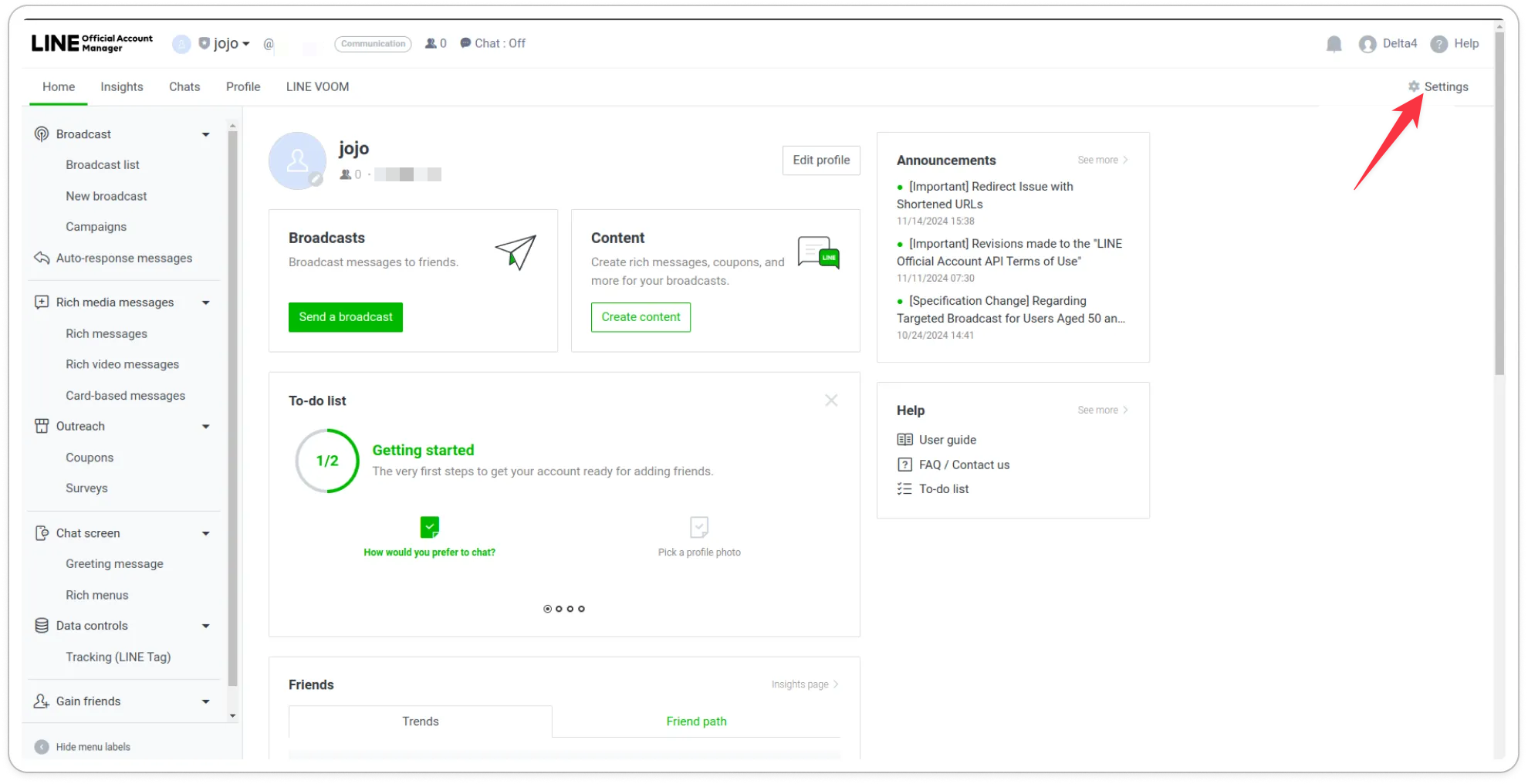
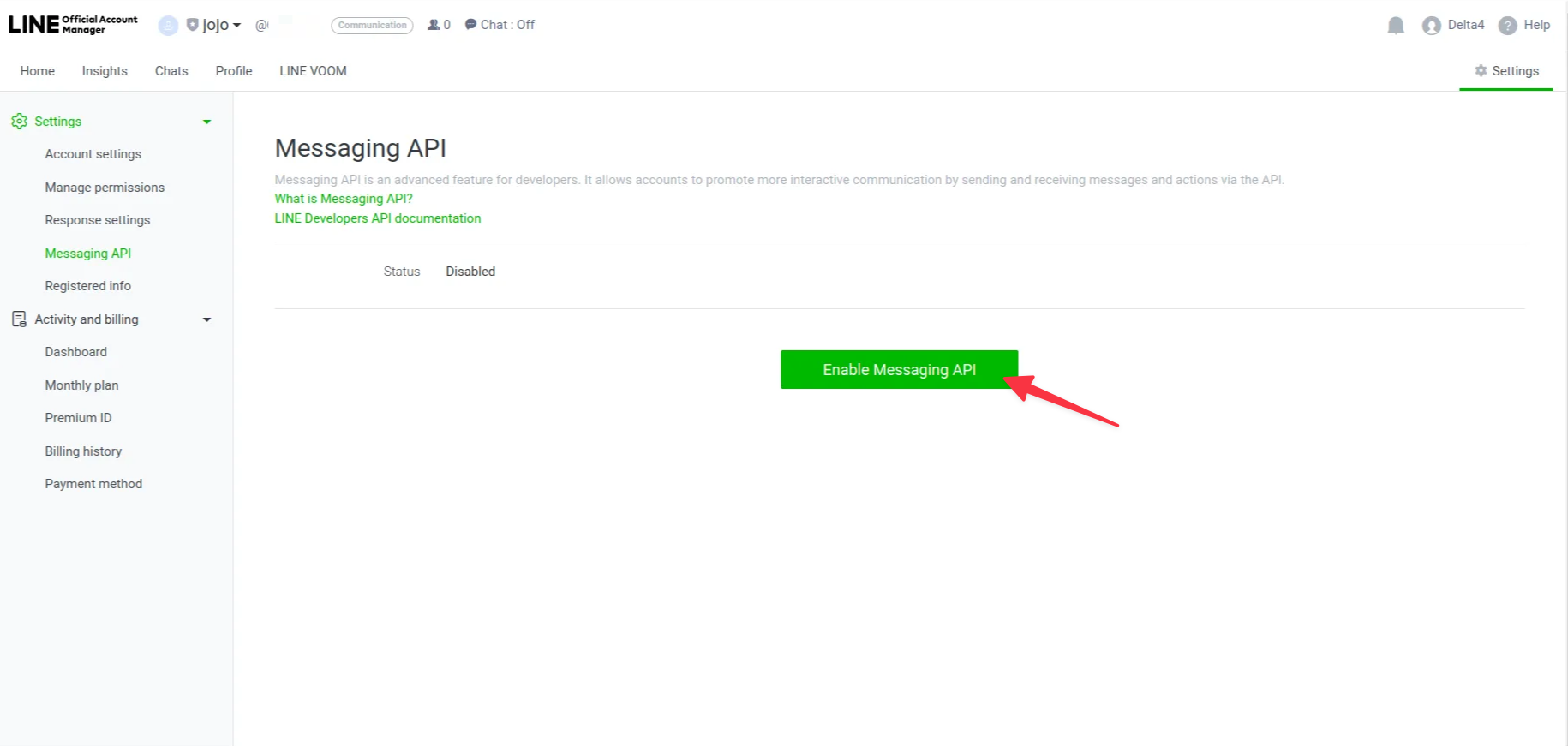
- Enable the message API
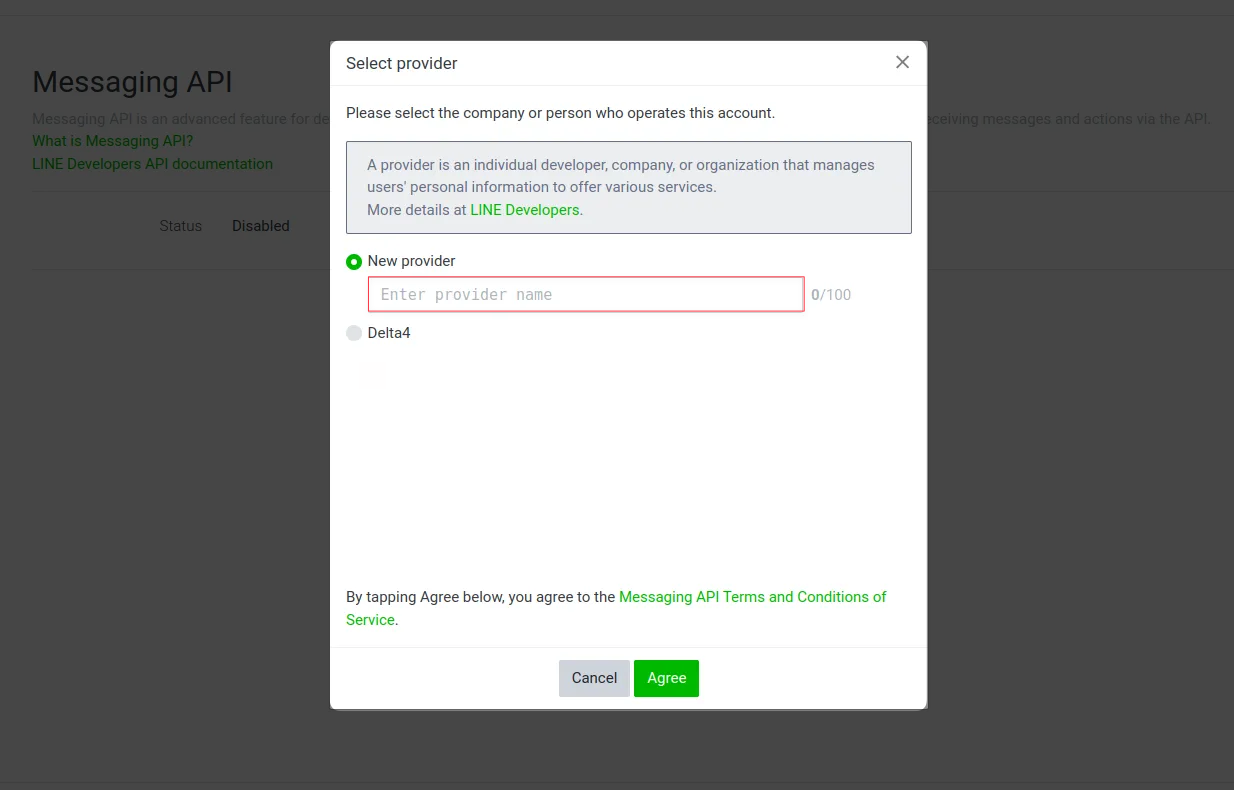
- Choose or create a provider.
-
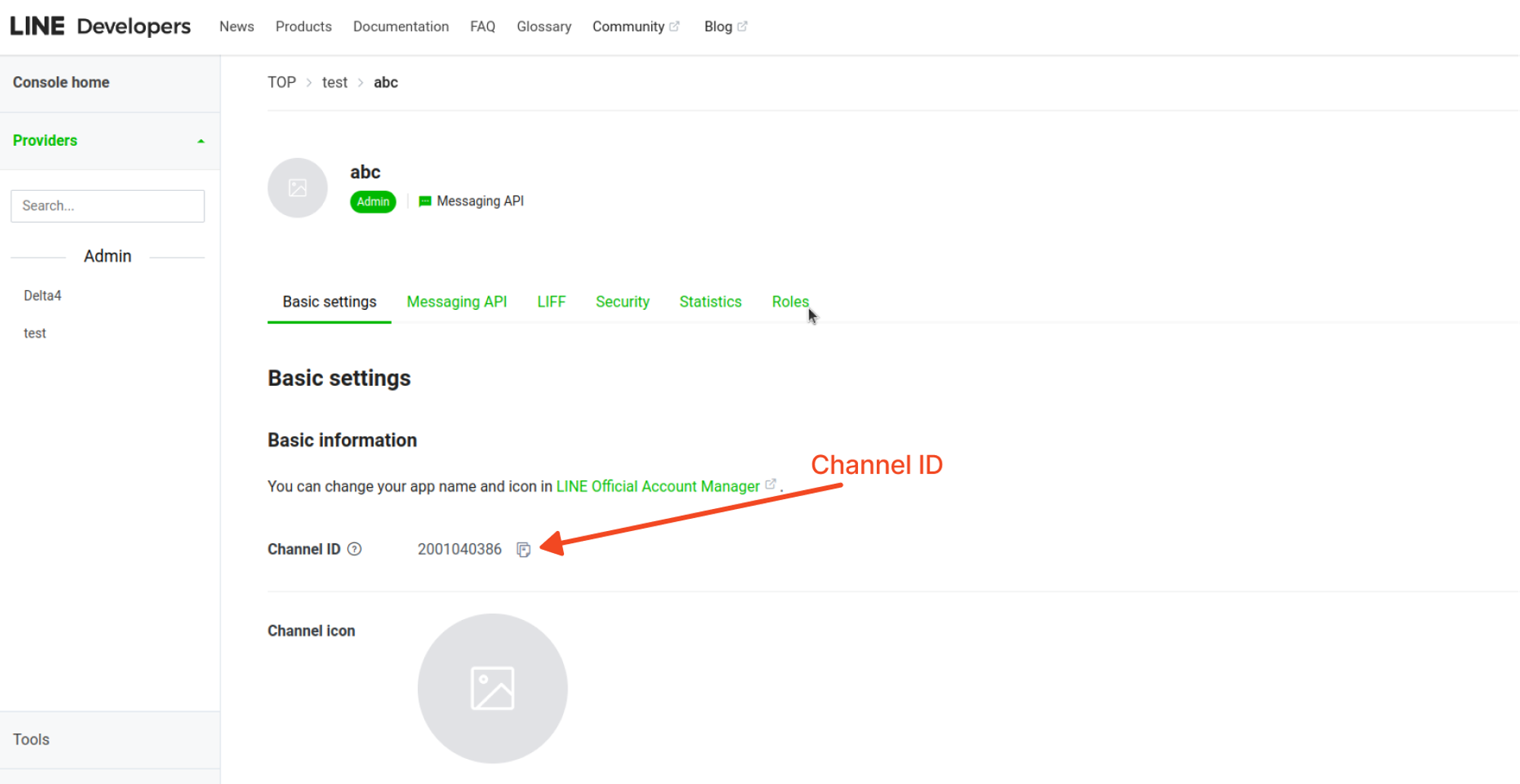
Copy Channel ID
- Copy Channel ID for later use.
-
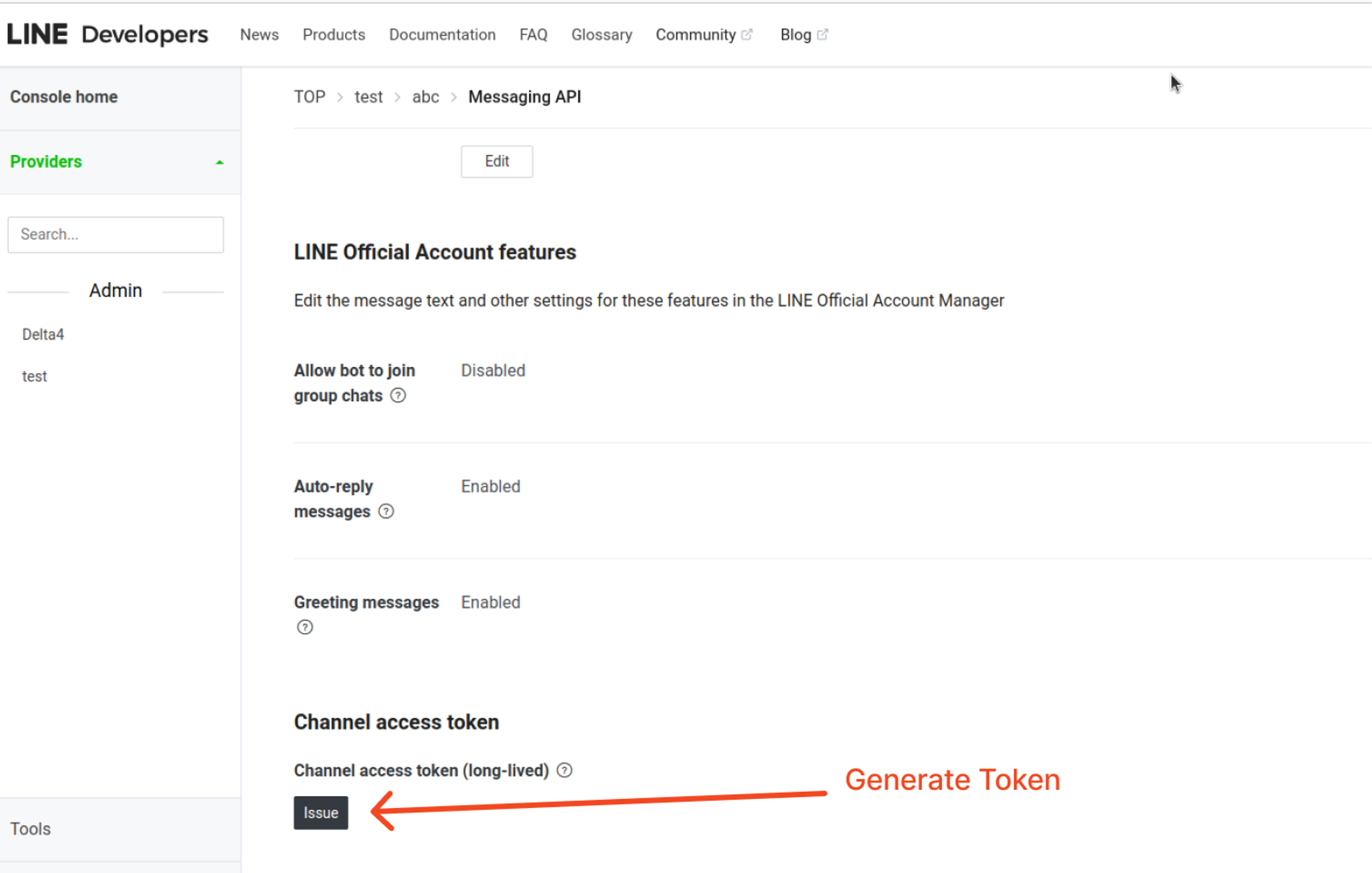
Issue the Token
- Issue the Token required for integration.
-
Add Channel ID and Access Token
- Add the following information:
- Channel ID
- Generated Access Token
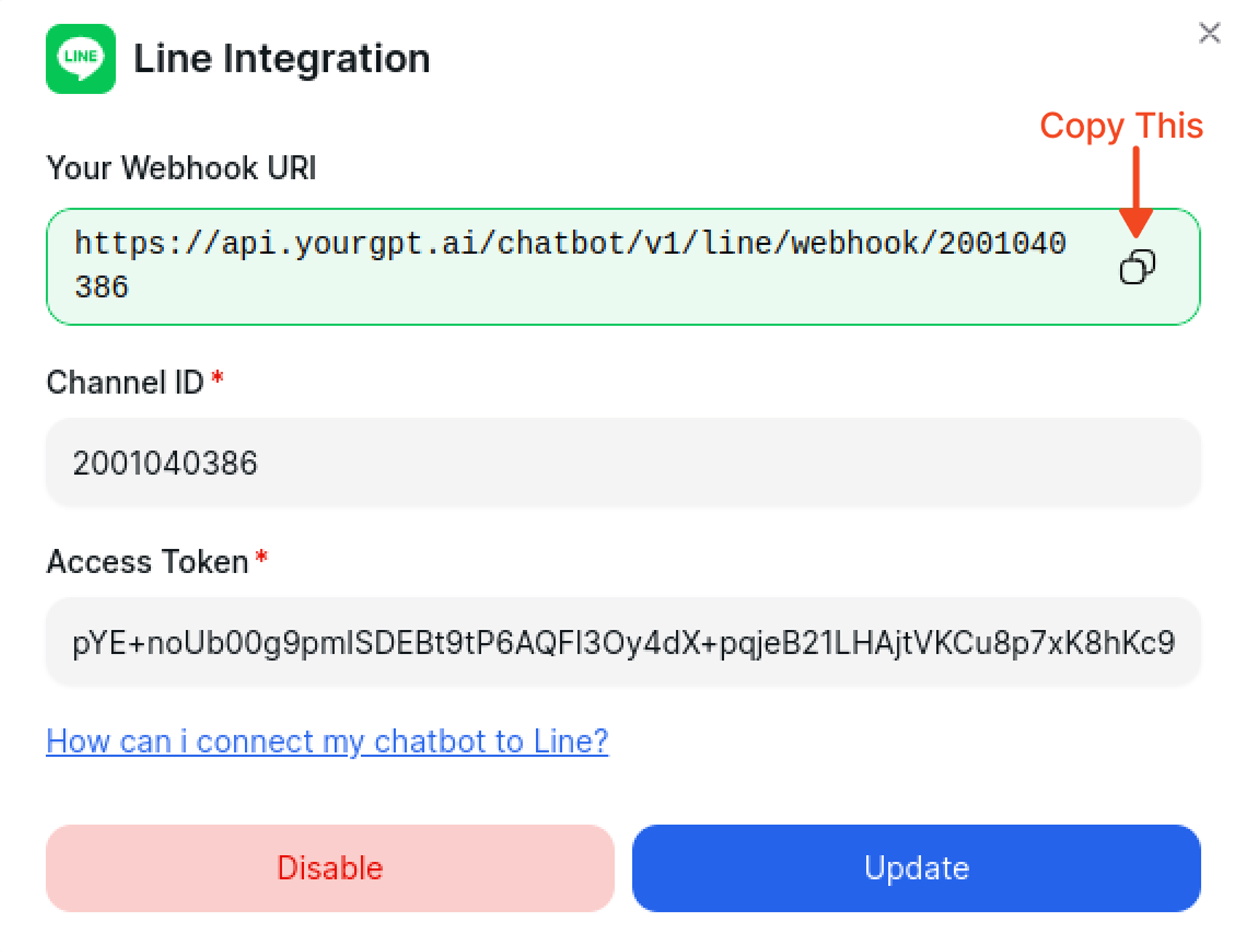
- Add the following information:
-
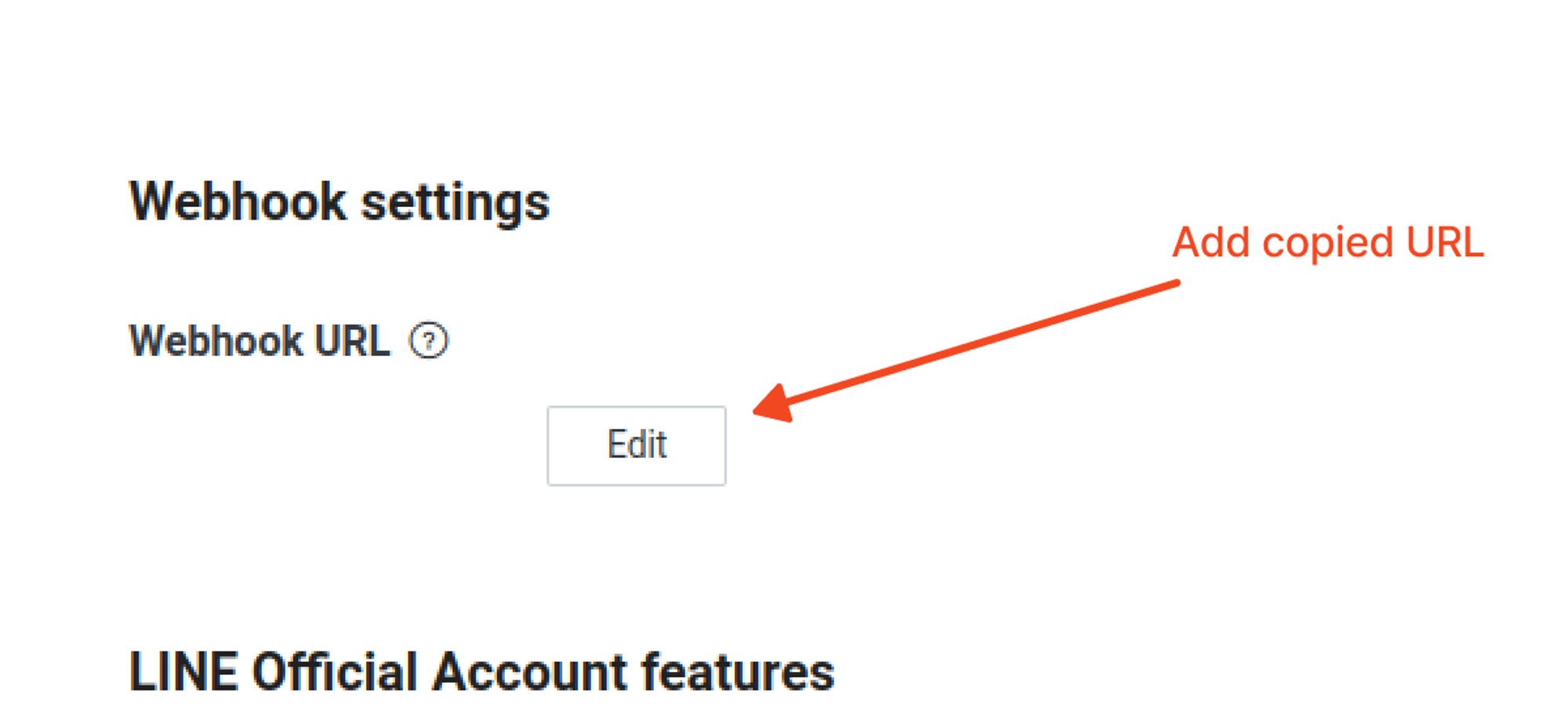
Add the Copied Webhook
- Add the Copied Webhook for callback functionality.
-
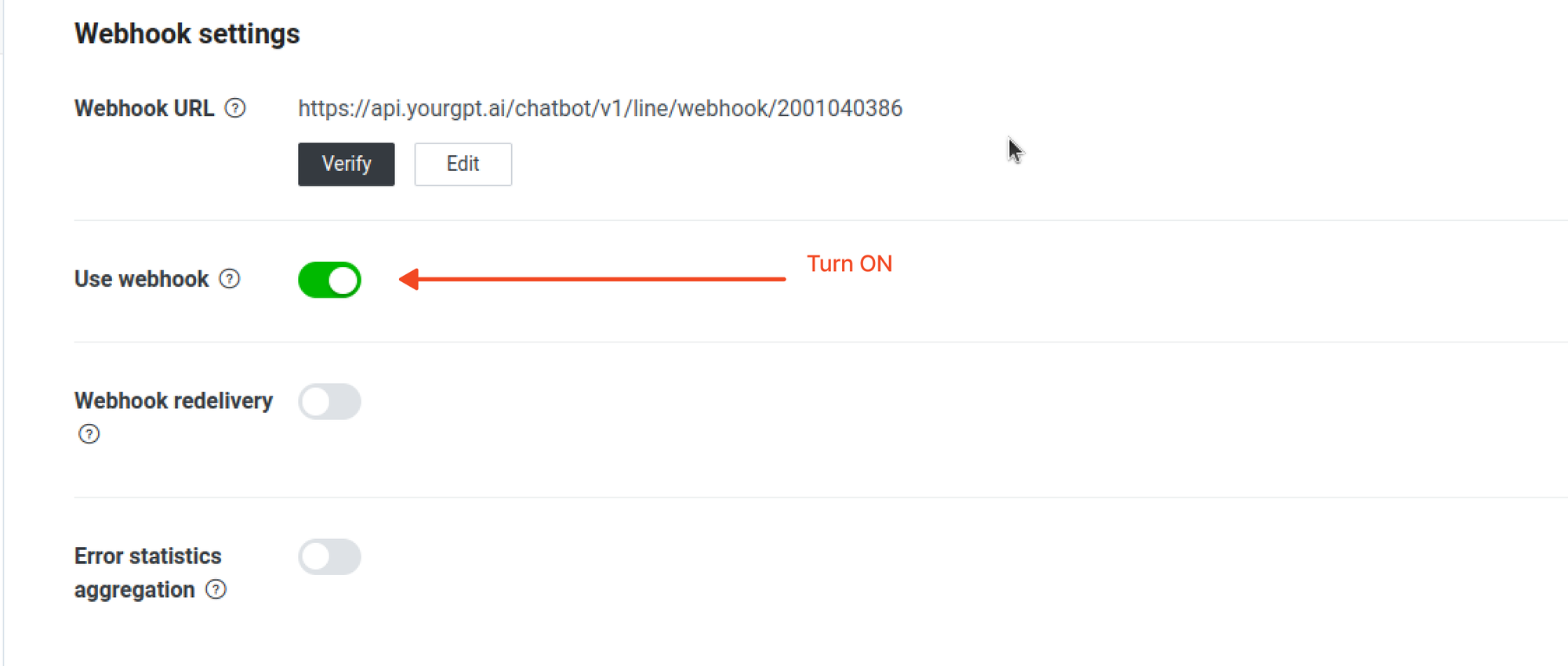
Activate the Integration
- Turn it ON to activate the integration.
-
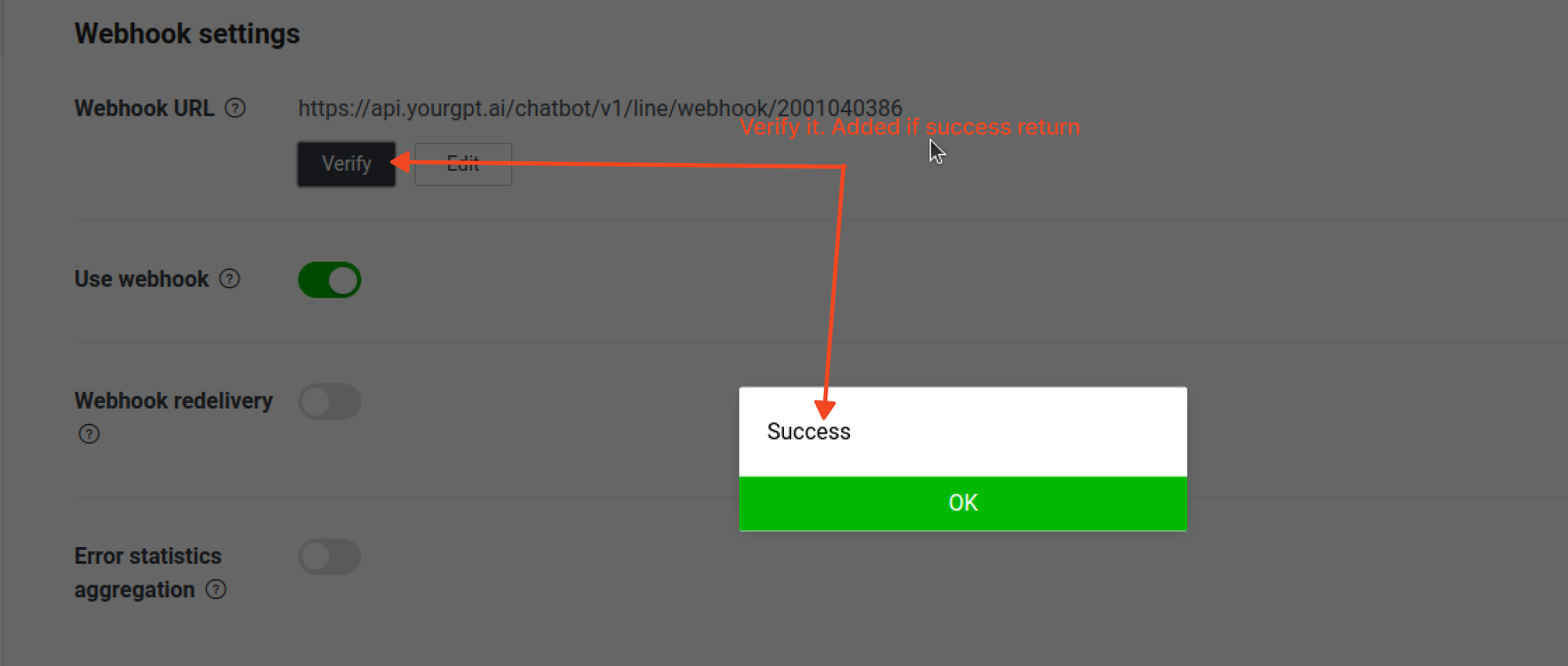
Verify the Webhook
- Verify the Webhook functionality.
-
Test the Integration
- Test the integration:
- Download and Install the Line App on your mobile device.
- Use it to scan the provided QR code.
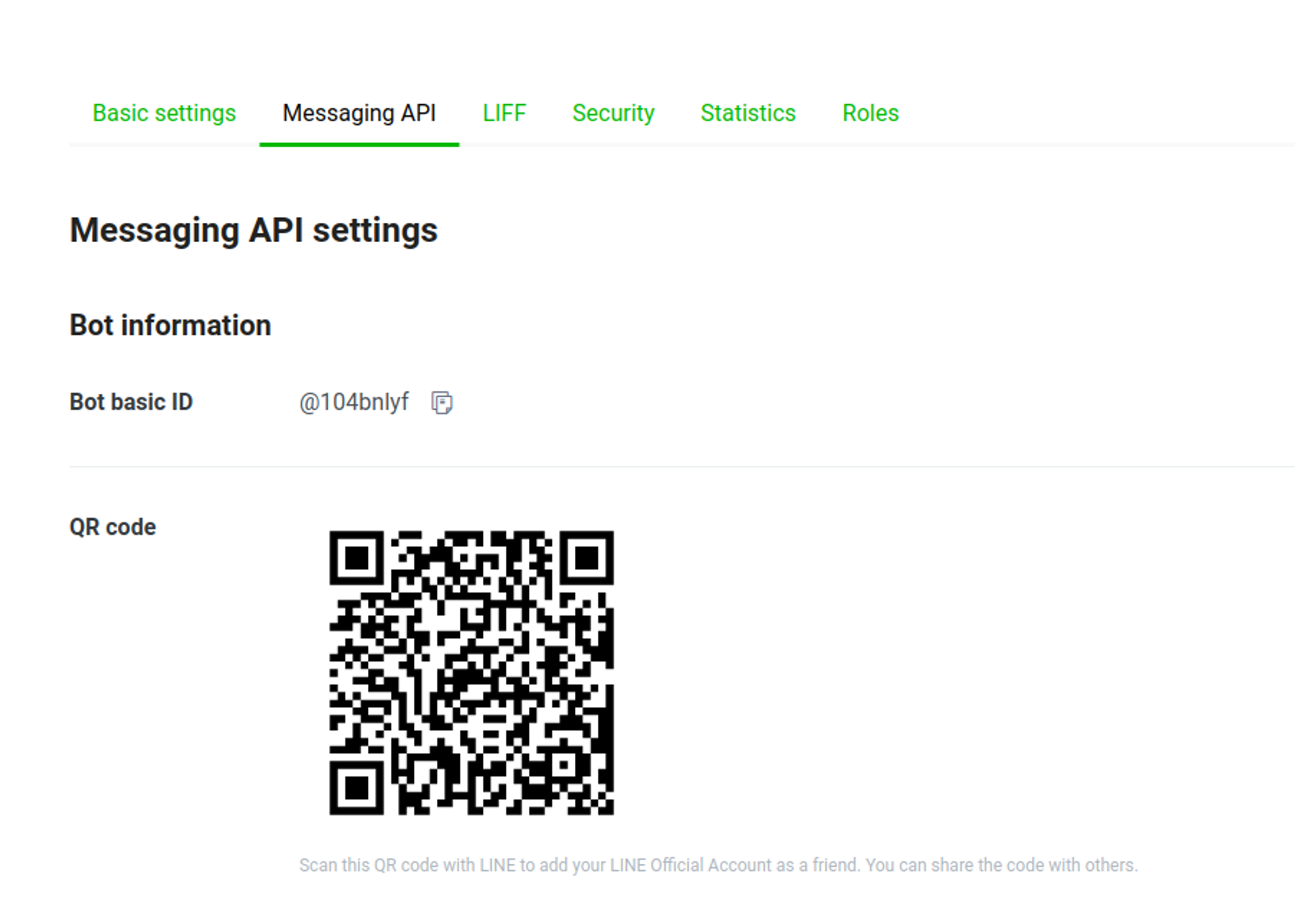
- Test the integration:
You have now successfully enabled Line integration.
Integration Supported Types
The Integration ID for Line is 14 and the supported types for the integration are as follows:
Supported Types
- Text
- Image: JPEG or PNG Note: This feature is specifically designed for integration with our platform and may not work as intended when connected with other platforms like Crisp and Intercom.
- Video: mp4 Note: only supported when integrated with our platform.
- Audio: mp3 or m4a Note: only supported when integrated with our platform.
- Button
- Carousel
- Card
Not Supported
- Form
- File