Webflow
GPT Chatbot Webflow Website | Installation guide
Connecting custom chatbot with your Webflow website
Installation
Integrating YourGPT Chatbot with your Webflow site is a straightforward process that improves user interaction. Follow these steps:
Installation via Webflow Marketplace
-
Log in to your Webflow account
- Sign in to your Webflow dashboard.
-
Visit YourGPT Chatbot on Webflow Marketplace
-
Click Install
- Click Install to add the YourGPT Chatbot app to your Webflow account.

- Select the chatbot
- Choose the Webflow project where you want the chatbot installed.

- Authorize
- Click Authorize to allow YourGPT Chatbot to integrate with your selected project.
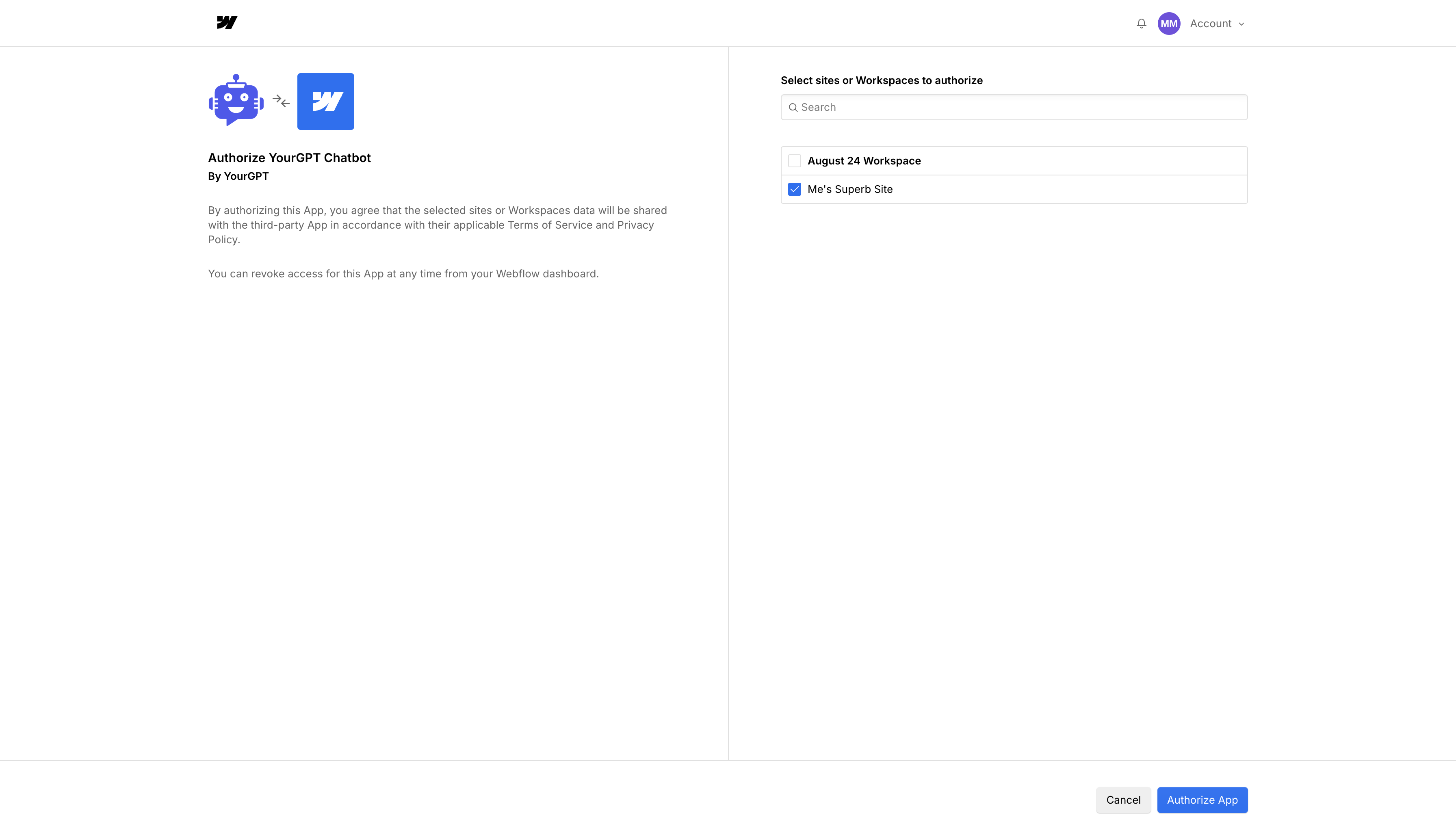
- YourGPT Chatbot Integration
- The chatbot is now added to your chosen Webflow project.
Congratulations!
YourGPT Chatbot is now integrated into your Webflow project.
Troubleshooting
Need Help?
For further inquiries or technical support regarding GPT Chatbot integration with Webflow, feel free to contact us at Mail YourGPT Support or Chatbot Live Support.